Welcome to inPerson!
inPerson is an app for Microsoft Teams that allows you to:
- Manage your in-person flexible office hours and set reminders in Outlook
- Locate your reserved space on the floor plan and assess social distancing
- Look up your team members’ current location
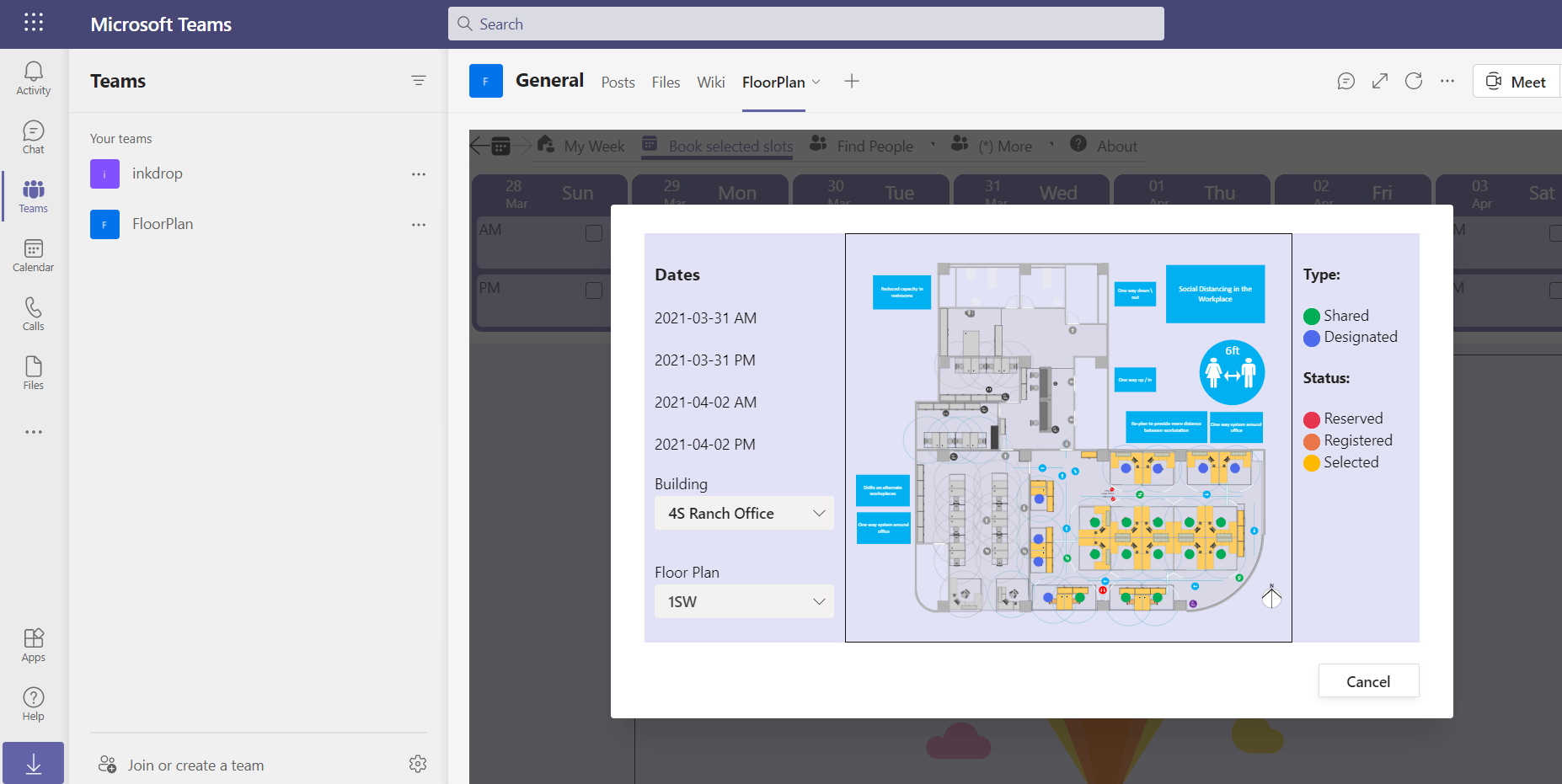
What inPerson does
First, register floor plans and tag each space as shared or designated. Shared spaces are self-service that users can book, while designated spaces are assigned by the admins.
Users can then leverage the floor plans to book office space, and make decisions about being present in the office on a given day.
The value proposition
The inPerson app is entirely built on Microsoft 365.
- Security: data is stored in Microsoft 365, with access restricted to team members.
- Users can easily extend the app with their own customizations, such as list views, Power Automate workflows, or Power BI reports.
- No proprietary format. Users can bring their own floor plans in accessible SVG format, for example built with Visio.
Installation
Install inPerson from Microsoft AppSource to the SharePoint App Catalog. Then you’ll be able to sync with Teams and add the app as a tab in a Microsoft Teams team.
Usage
The first time you open the inPerson app, under Settings click on “Initialize Data Store”. The app will set up the Lists and the library needed to store the data. This will take a couple minutes and only needs to be done once for each Microsoft Teams team.
You can then start registering buildings, adding floor plans, and flagging each space as shared or designated. Users will use the interface to book spaces, get information about building occupancy, and find their teammates.
Privacy Policy
The Privacy Policy is available in pdf format.
Terms of Use
The Terms of Use are available in pdf format.